
Our Latest Thinking, Insights and Updates
Warehouse Automation Integration: Adding Robots Without Replacing Your WMS
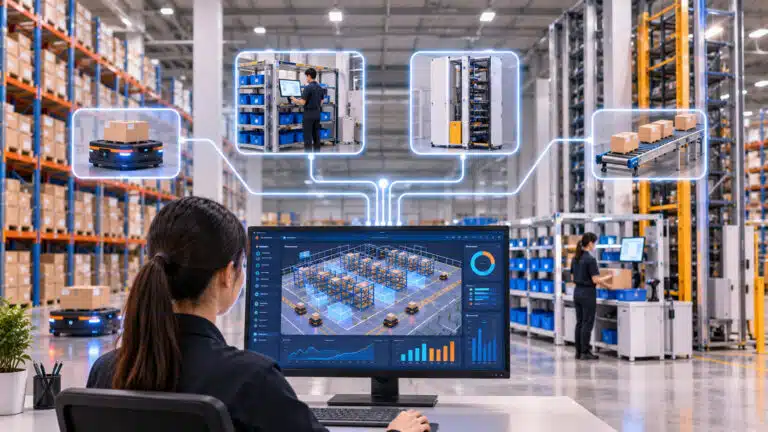
Many warehouses reach the same point. Volume has grown, labour is harder to find, and automation is the obvious next step. Then the proposal arrives. The robots come with their own software, and that software expects to run the warehouse. Replacing the WMS becomes part of the deal.
For an operation whose WMS works, that is a large price for adding equipment. The system has been configured over years. It is integrated with ERP, carriers and customers, and every supervisor knows it. No one has to pay that price.
Why Automation Projects Turn Into WMS Replacements
Automation equipment needs instructions: what to store, what to retrieve, where to send it and in what order. Something has to turn orders and inventory into those tasks.
Many automation suppliers solve this with their own control software. It is built for their own equipment. Some go further and offer a full WMS as the simplest way to make everything work. A project to add goods-to-person picking turns into a project to replace the warehouse’s core system.
The risks are real. Replacing a WMS means moving data and rebuilding links to ERP and carriers. Staff need retraining, and go-live can disrupt operations. The automation timeline now depends on the slowest part of the project. And the warehouse ends up tied to one supplier for both software and equipment.
The Layer That Makes Integration Work
There is a cleaner way to divide the work. The WMS keeps doing what it does well: managing inventory, orders, customers and billing. A warehouse control system sits below it. It takes work from the WMS and turns it into tasks for each machine.
In this model, the WMS does not need to know how a shuttle retrieves a tote or how an AMR plans its route. It sends work and receives confirmations. The control layer handles sequencing, routing and exceptions on the floor. It reports each completed task back, so inventory stays accurate. The same layer decides how well equipment performs under pressure. When it is missing, that is why robots wait at peak.
This split has a second benefit. Execution logic sits in the control layer, not inside any one robot. So equipment from different suppliers can work side by side. Multi-vendor automation stops being a coordination problem and becomes a choice.
What to Look For in a Vendor-Neutral Control Layer
- Configurable WMS integration. Links between the WMS and the automation layer should be set up through settings, not custom code for every project. That makes integration faster to deliver and easier to change.
- Real-time confirmation back to the WMS. Every storage, retrieval and pick should update the WMS as it completes. Batch updates leave stock and order status out of date. Peak season makes that gap expensive.
- Support for mixed equipment. The layer should route work across ASRS, AMRs, goods-to-person systems, lift modules and conveyors. It should not matter who built them.
- Exception handling at the control layer. If the answer is days, guided picking will return more than extra headcount.
- Integration monitoring Track messages between systems end to end, so a failed confirmation is caught in minutes. Integration message tracking turns a black box into something operations can see.
A Practical Path for Existing Operations
For most operations, the path starts with one constraint. It might be a picking zone that struggles at peak, slow-moving stock taking up floor space, or replenishment that cannot keep up.
The first system connects to the existing WMS through the control layer. That might be a vertical lift module, a goods-to-person zone or an AMR fleet. The team proves the result, then adds the next system on the same foundation. The WMS stays in place throughout. Each addition extends one orchestrated operation instead of creating a new island.
This is the logic behind a phased approach. Each phase is small enough to deliver quickly, and each one makes the next easier.
How Symphony Automation Connects to Your Existing WMS
Symphony Automation is a vendor-agnostic warehouse control and orchestration platform. It works with Symphony WMS and with third-party warehouse management systems. Configurable mappings connect each WMS to the automation layer.
It routes tasks across ASRS, shuttles and AMRs. It also runs goods-to-person robots, vertical lift modules, conveyors and workstations. It handles storage, retrieval, replenishment and stock take. Exception handling and recovery are built in. Live dashboards show robots, stations, zones and task queues in one view.
Symphony Business Integration links ERP, carriers and other systems through API and EDI. It tracks every message between them. Together, they let operations add automation at their own pace. They choose the equipment, and they keep the systems they already run.
CONCLUSION
- A WMS that works is an asset. Automation should build on it, not replace it. A vendor-neutral control layer lets operations add equipment where it pays back. Teams keep the systems they know. And the business avoids tying its future to one supplier. For warehouses planning their next step after peak, that freedom is worth as much as the equipment.